

Overview
The GWI MCP server can be integrated with Codex CLI so agents can access GWI consumer insights in the CLI, the IDE extension, and the Codex surface in the ChatGPT desktop app. Those clients share~/.codex/config.toml.
Use the OpenAI profile endpoint:
search, fetch, search_audiences, and list_datasets.
Reference: Codex MCP documentation
Prerequisites
Before continuing with the integration, install Codex: For a Spark API token, export it asSPARK_API_TOKEN in the shell that starts Codex.
Authentication
Choose one of the following methods:- OAuth 2.0 (recommended). Sign in with your GWI account. Codex stores the session and refreshes it.
- Spark API token. Use an environment variable for developer or automated environments.
OAuth 2.0
-
Add the GWI MCP server:

Note: this writes the server to
~/.codex/config.toml. You can edit that file directly. A trusted project can use.codex/config.tomlinstead. Codex detects OAuth on this URL and starts the sign-in flow. To sign in later, runcodex mcp login gwi_spark. -
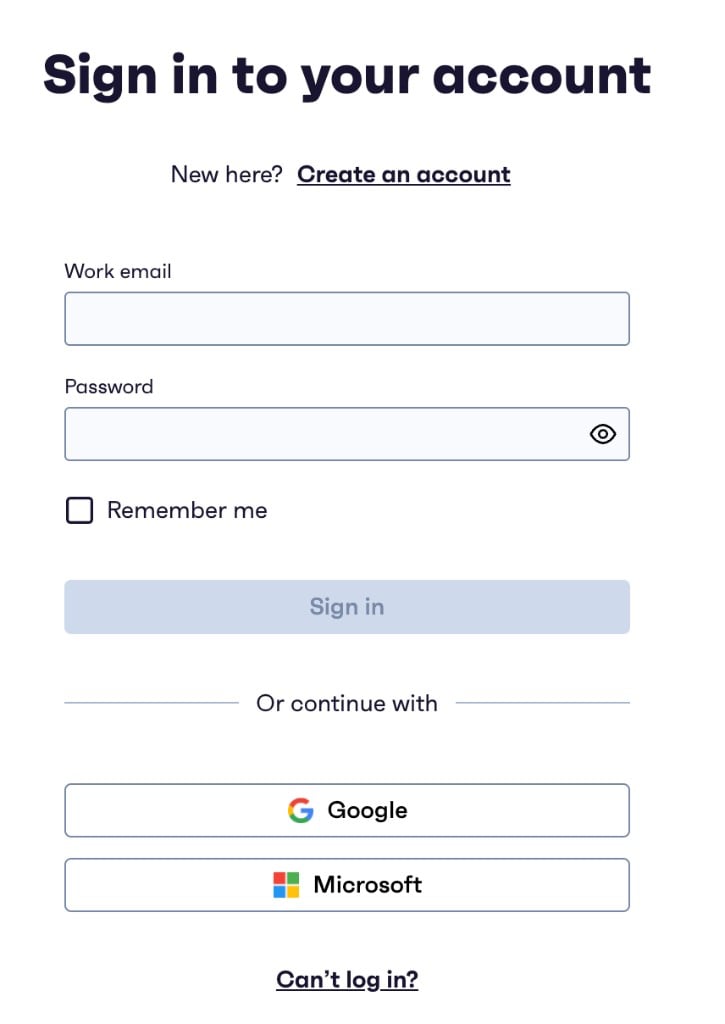
You’ll be redirected to the GWI sign-in page. Use your GWI credentials to sign in. If you don’t have a GWI login, click Sign up to create one
-
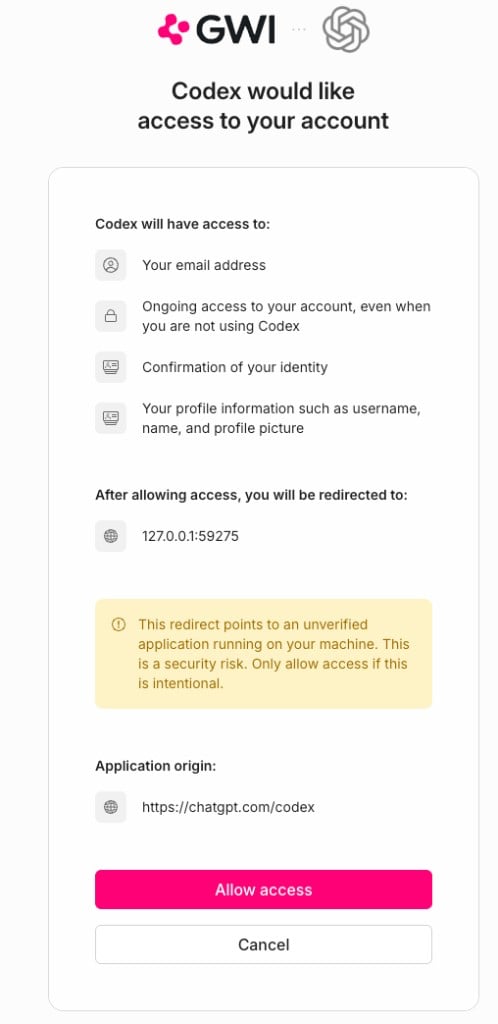
Review the requested permissions and click Allow. Then return to the terminal.
-
Start Codex:
-
Confirm the server is connected:
gwi_sparkshould be connected. From a shell,codex mcp listshows the server URLhttps://api.globalwebindex.com/v1/spark-api/openai/mcpwith authOAuth.
-
Ask Codex to use GWI:
Codex returns the GWI datasets available to your account.
Spark API token
Codex reads the token fromSPARK_API_TOKEN and sends Authorization: Bearer. The config file stores the variable name only.
-
Export your token before you start Codex. Keep the real value in the environment.
-
Add the GWI MCP server:

Note: this writes the server to
~/.codex/config.toml. You can edit that file directly. A trusted project can use.codex/config.tomlinstead. The saved entry looks like this: -
Start Codex from the same environment:
-
Confirm the server is connected:
gwi_sparkshould be connected.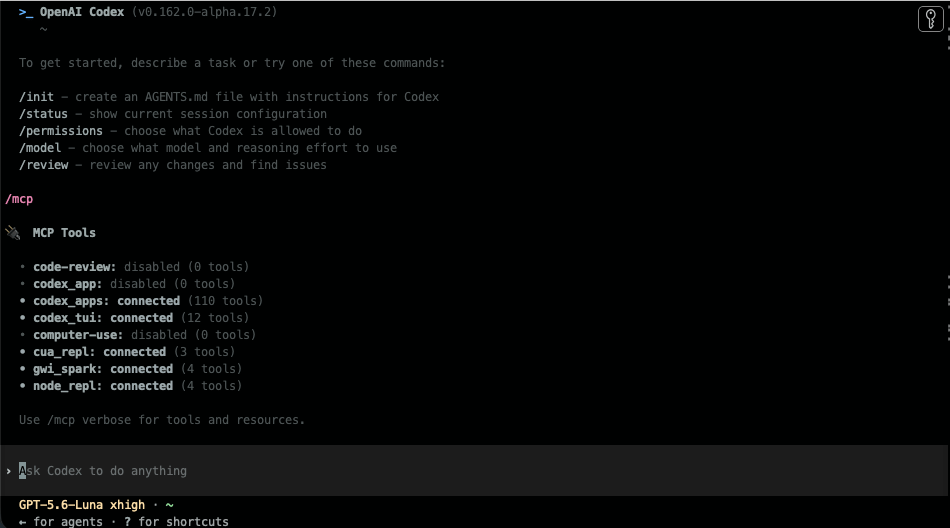
codex mcp listshows the same server with bearer token env varSPARK_API_TOKEN.
-
Ask Codex to use GWI:
Codex returns the GWI datasets available to your account.
gwi_spark. Restart Codex after you change the file.
Troubleshooting
- Server missing or disabled: Run
codex mcp list. The URL should behttps://api.globalwebindex.com/v1/spark-api/openai/mcp. - OAuth not signed in: Run
codex mcp login gwi_sparkand allow access on the GWI sign-in page. - 401 or invalid token: Confirm
SPARK_API_TOKENis set in the shell that started Codex, and that the token has not expired or been revoked.