

Overview
The GWI MCP server integrates with Microsoft Copilot Studio using the MCP onboarding wizard. This enables agents to access GWI consumer insights data through OAuth 2.0 authentication. Reference: Copilot Studio MCP official documentationSetting Up GWI MCP Tool in Agent Builder
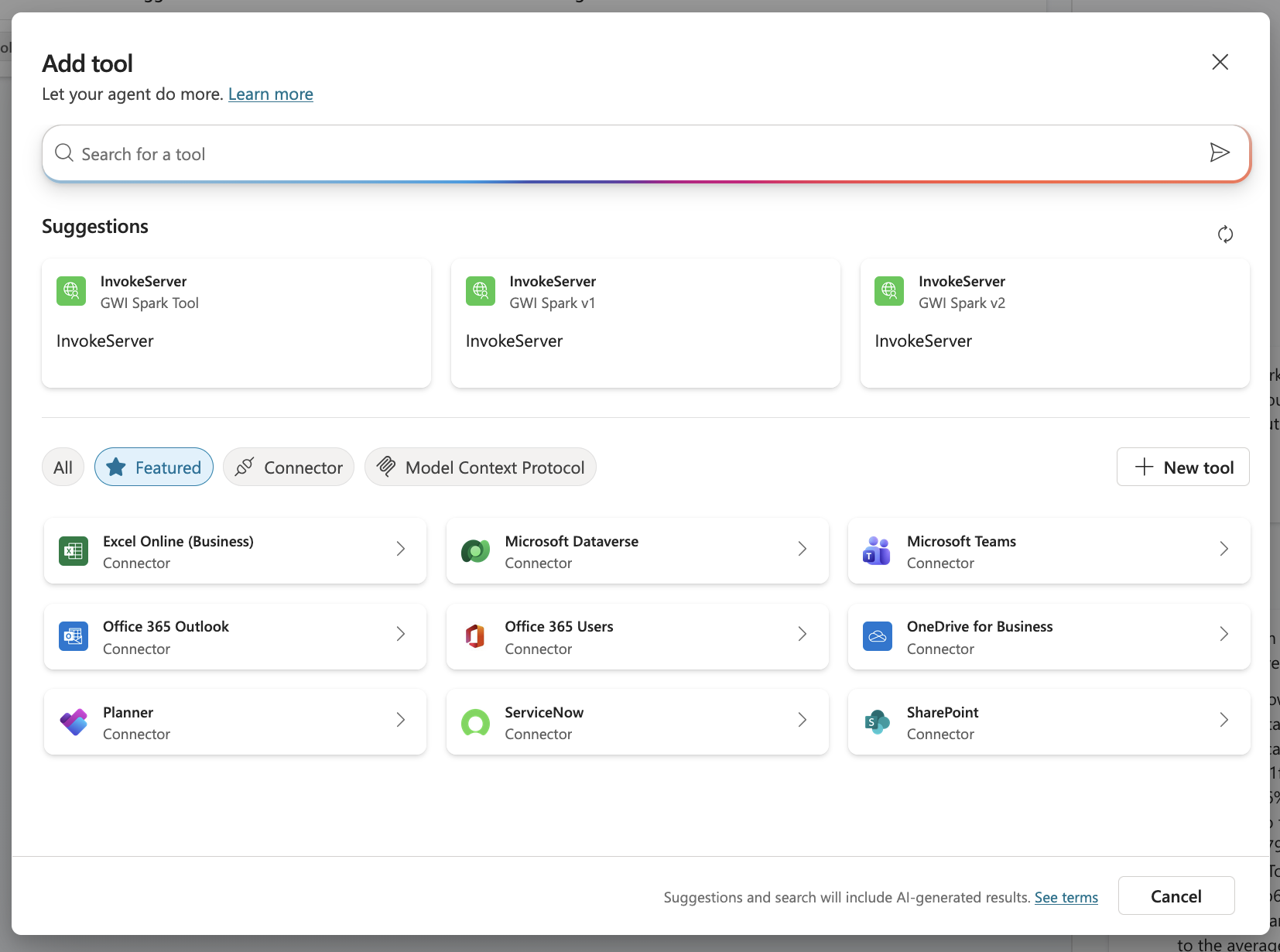
- Open your agent, navigate to the Tools page, and select New tool
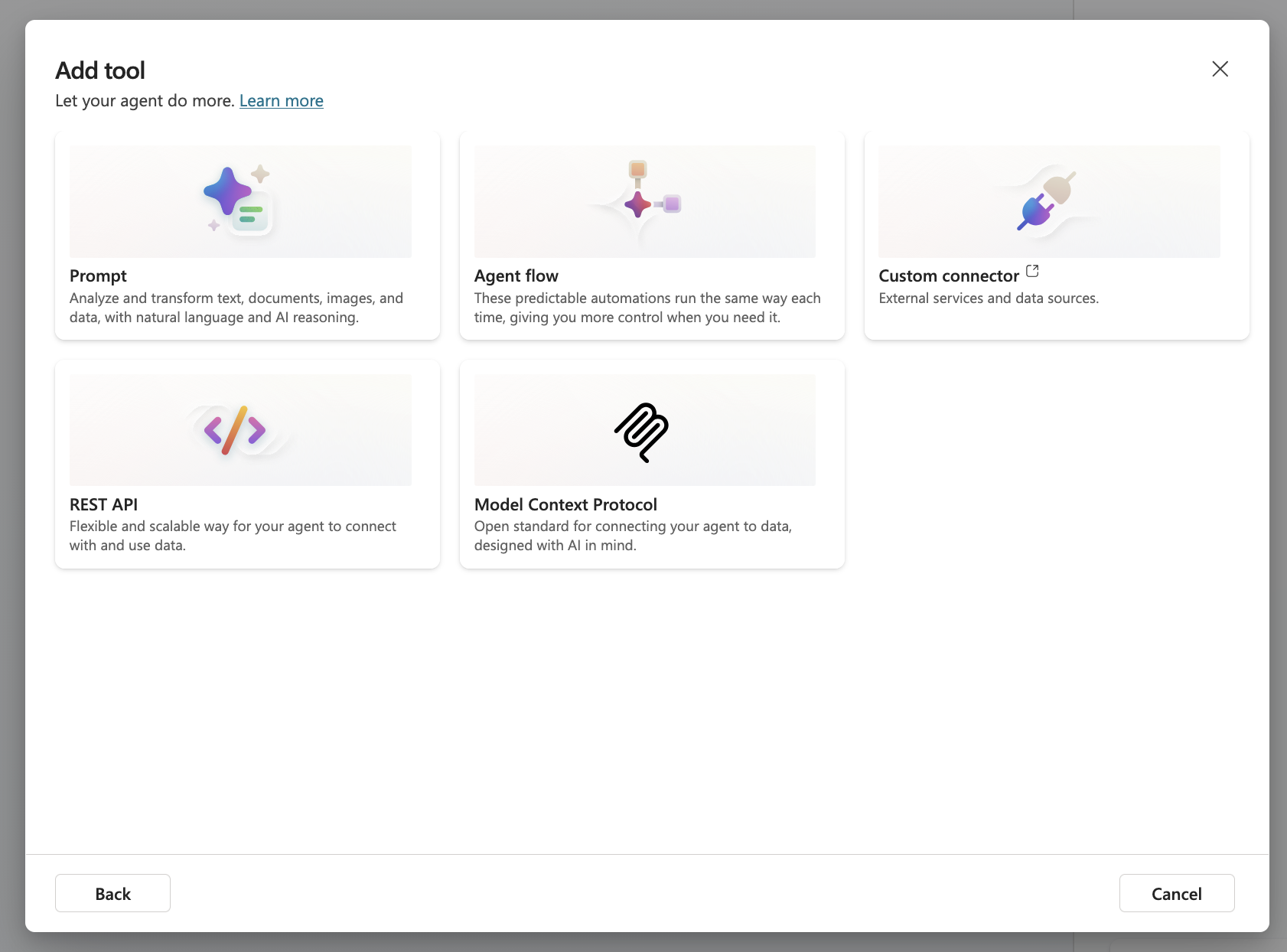
- Select Model Context Protocol:
- Configure the MCP server details, ensuring the URL is correct
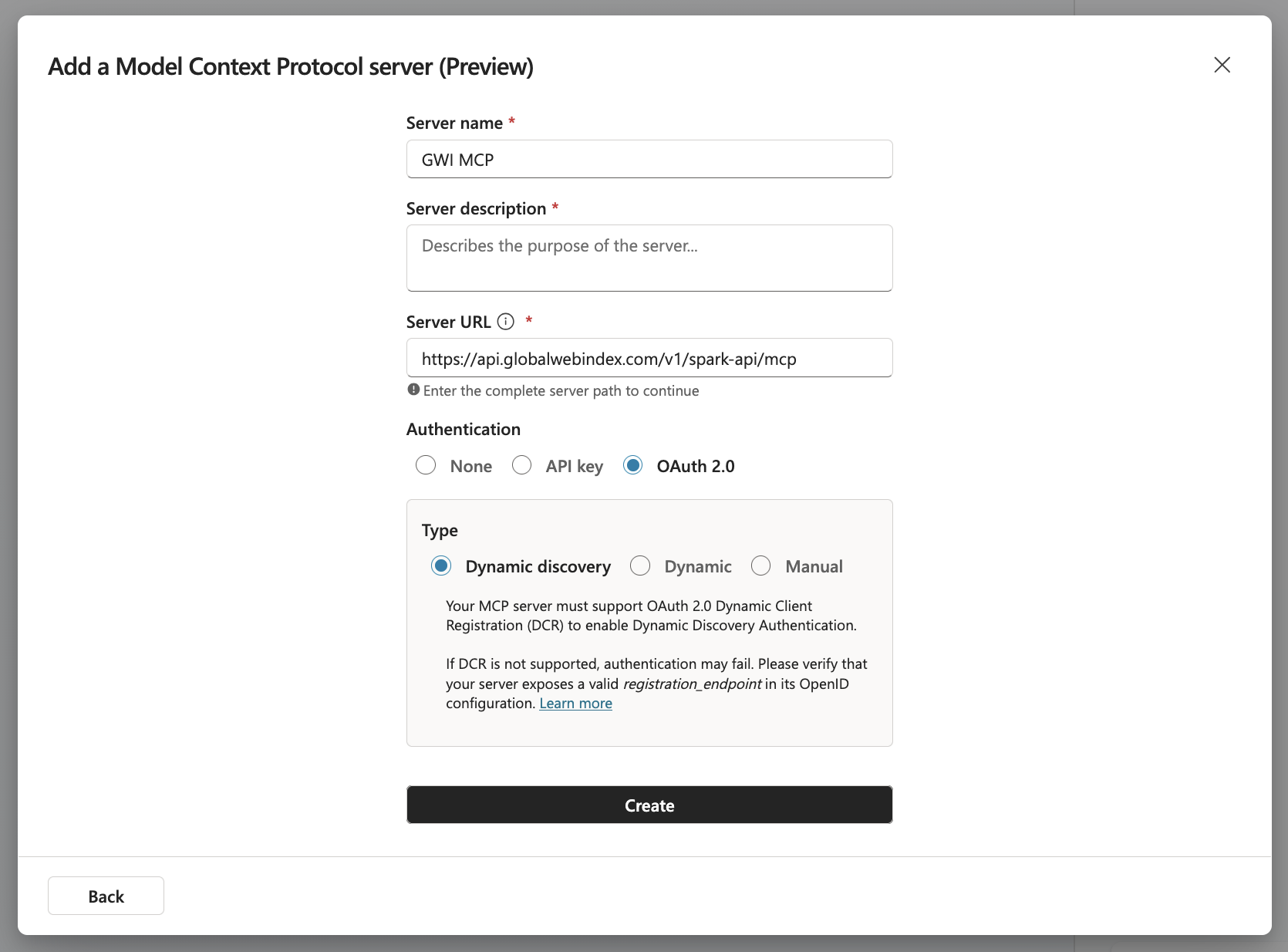
- Server Description: Uncover instant insights from real humans across 50+ global markets
- Server URL:
https://api.globalwebindex.com/v1/spark-api/mcp
- Select OAuth 2.0 as the authentication type and Dynamic discovery as the OAuth 2.0 type
- Create a connection. You will be redirected to the GWI sign-in page. Use your GWI credentials to sign in.
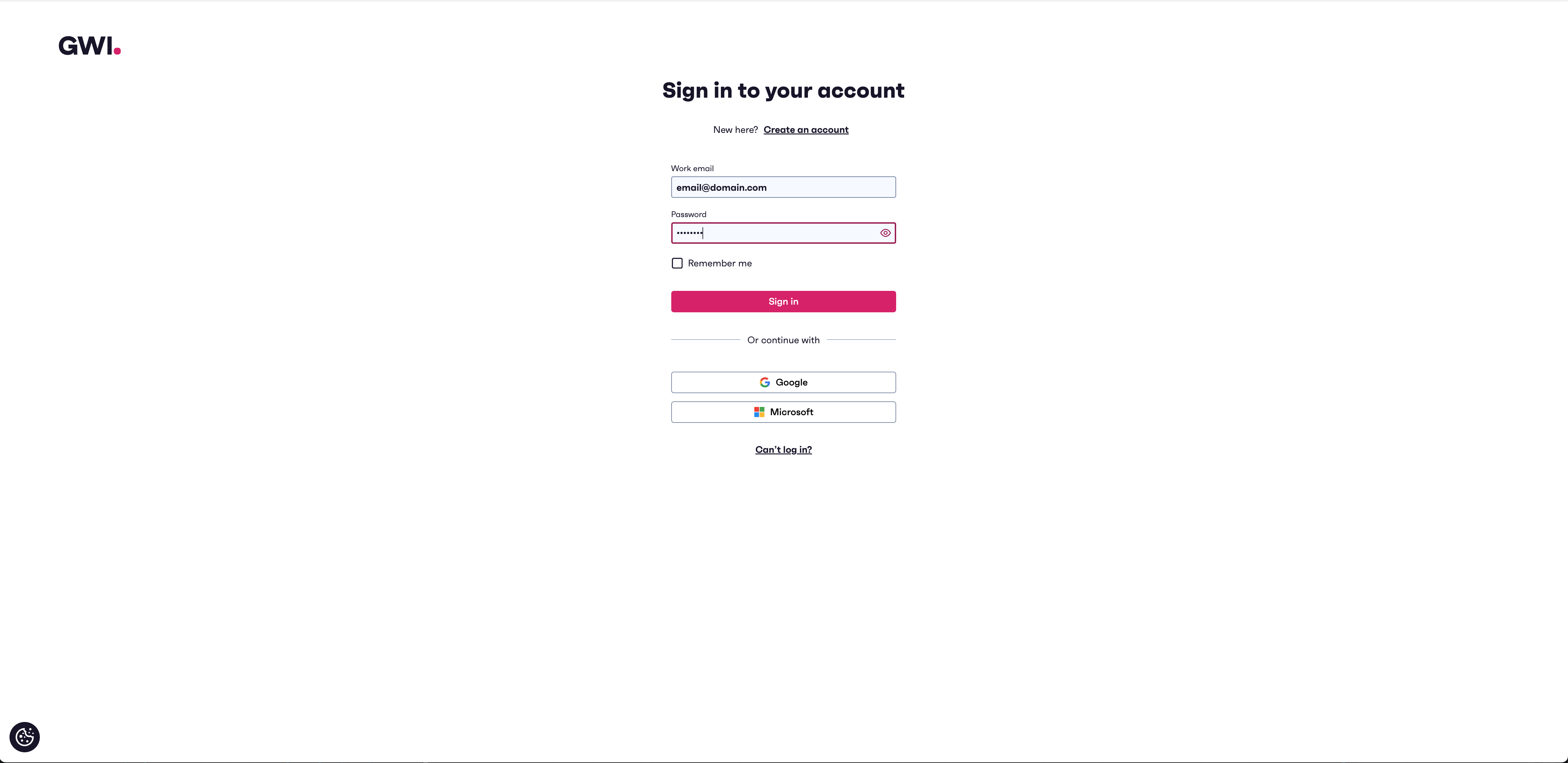 Review the requested permissions and scopes, then click Allow to authorize the connection. Copilot Studio handles token refresh automatically. Once the connection is created, you will be prompted to add the MCP tool and configure it in the agent.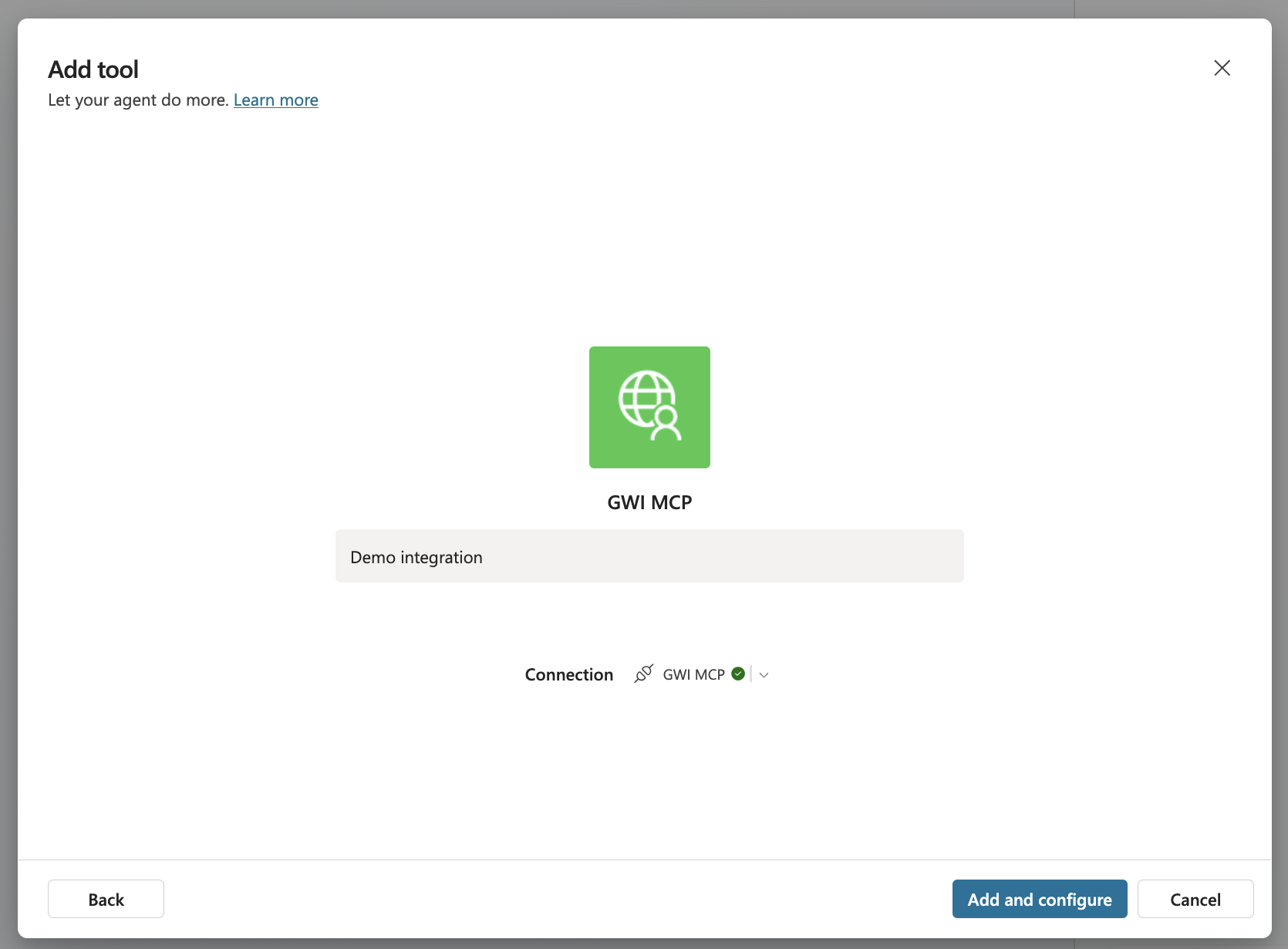
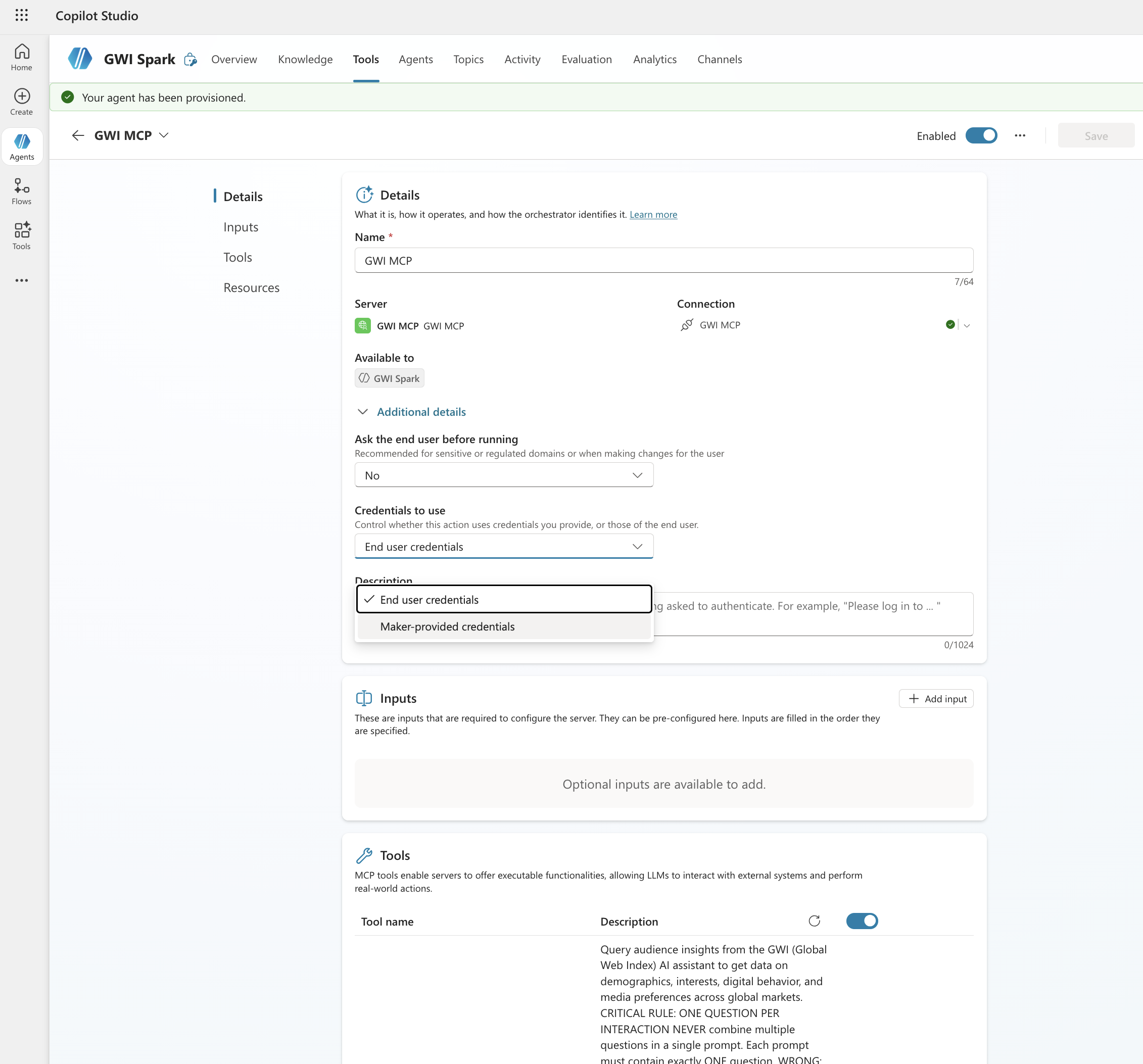
- You can select between two authentication modes when using MCP tools within your agent: End user credentials and Maker-provided credentials. This controls whether users should use their own GWI credentials when using the agent, or the credentials used by the tool builder.
- To maximise how your agent uses Spark, we recommend adding some instructions directly to the agent in Copilot. Below are some example instructions that you can add.
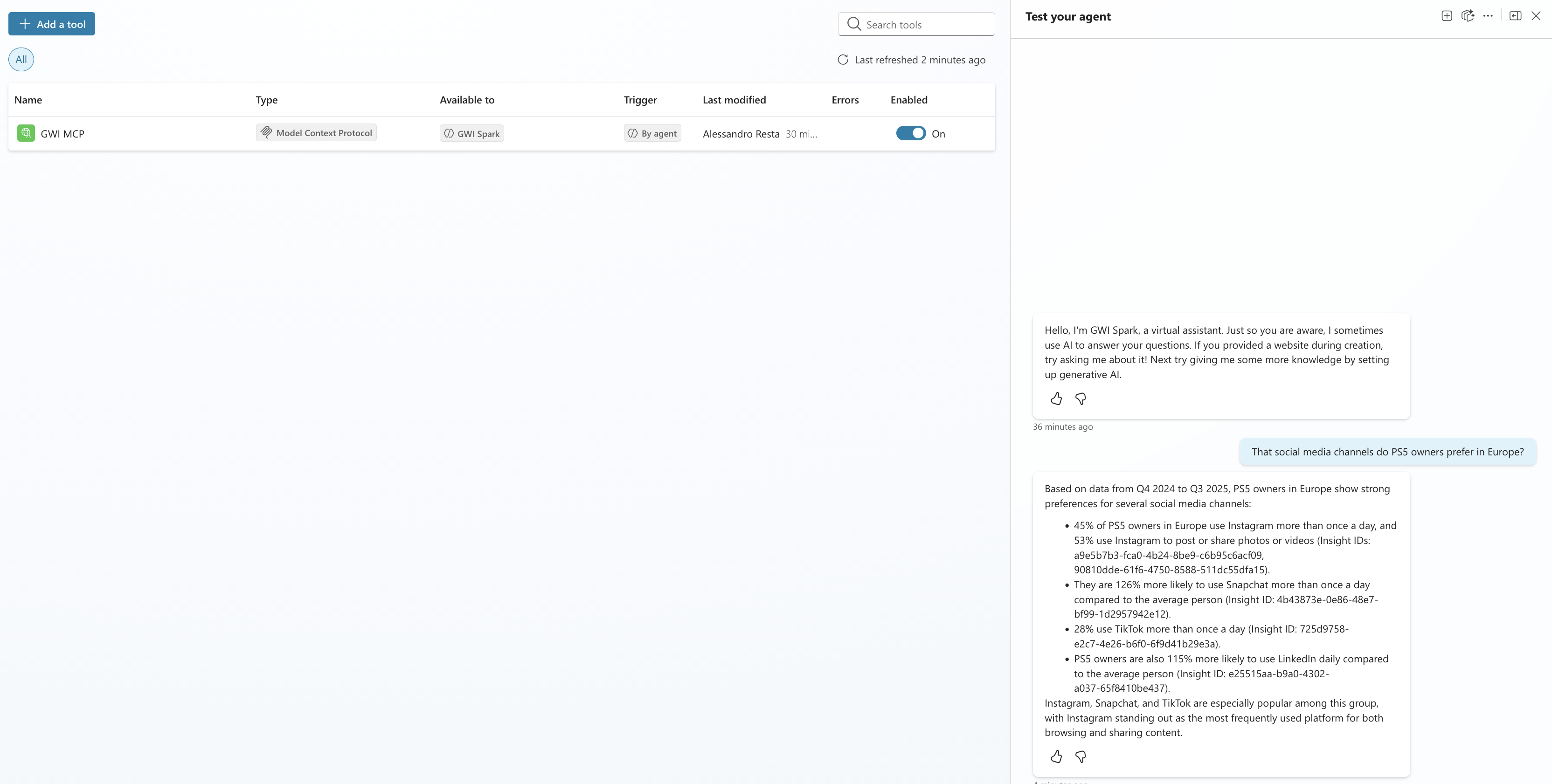
- Finally, you can test GWI Spark MCP in your agent
Publishing your agent to Microsoft Teams and Microsoft 365 Copilot
Once you’ve configured the GWI Spark MCP connector and tested your agent in Copilot Studio, the next step is making it available to users. Publishing to Teams or Microsoft 365 Copilot is a separate step from building; your agent won’t appear anywhere until you explicitly publish and configure its availability.Step 1: Publish the agent
Before you can share your agent with anyone, you need to publish it at least once.- In Copilot Studio, open your agent.
- In the left navigation menu, select Publish.
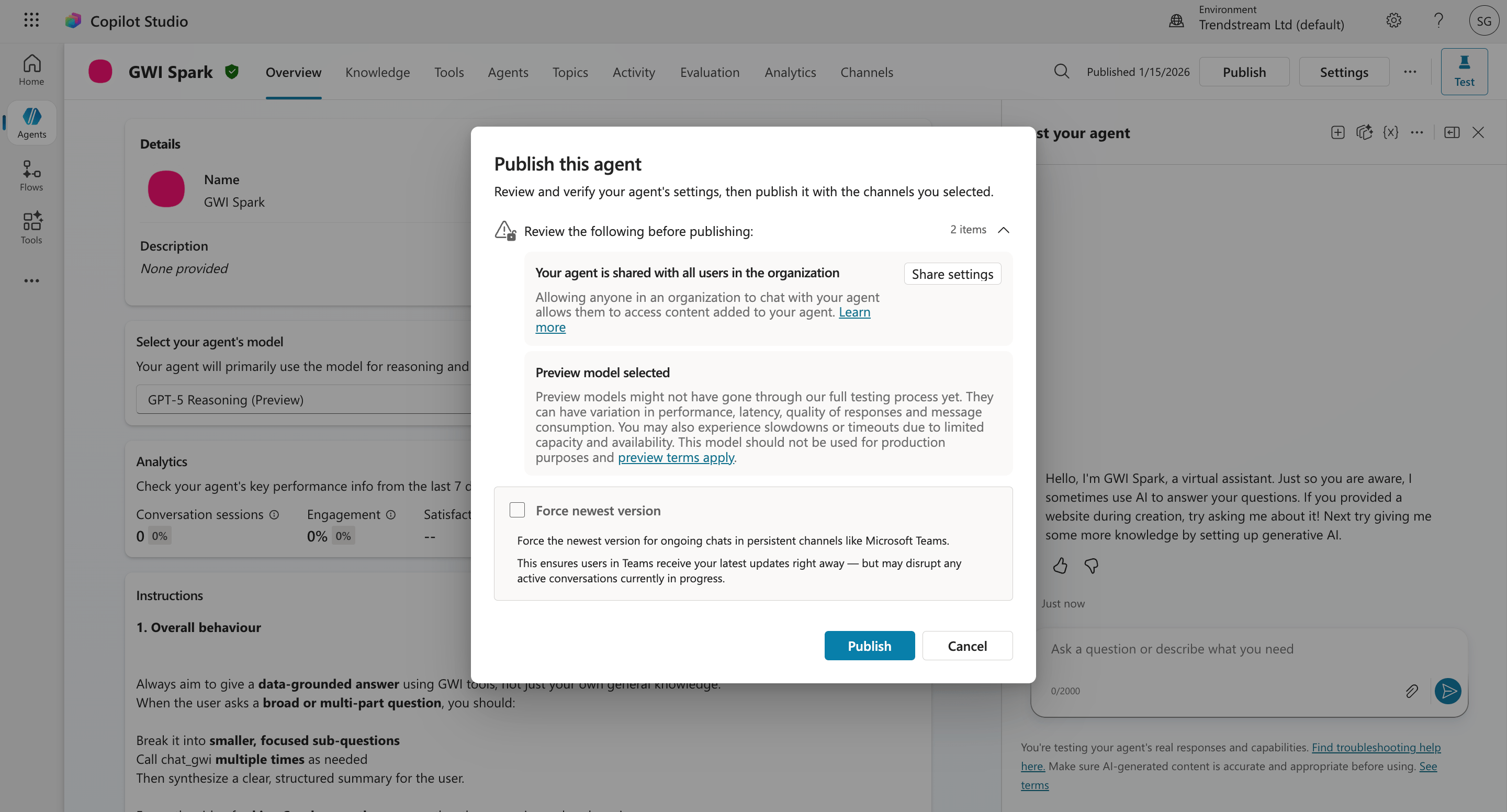
- Review the summary and select Publish to confirm. After publishing, Copilot Studio packages your agent and makes it available to connect to channels. You’ll need to republish any time you make significant changes to topics, actions, or the connector configuration.
📖 Key concepts: Publish and deploy your agent - Microsoft Learn
Step 2: Connect to the Teams and Microsoft 365 Copilot channel
After publishing, you need to explicitly enable the Teams and Microsoft 365 Copilot channel:- In Copilot Studio, select Channels in the left navigation menu.
- Select Microsoft Teams and Microsoft 365 Copilot.
- Select Turn on Teams (if not already enabled).
- Optionally configure the app icon, short description, and long description. These appear in the Teams app store if you distribute broadly.
- Select Save.
📖 Connect and configure an agent for Teams and Microsoft 365 Copilot - Microsoft Learn
Step 3: Choose your distribution method
Once the channel is enabled, select Availability options to decide how widely to distribute your agent. There are three main approaches depending on your rollout:Option A: Share via installation link (quickest, small groups)
Best for internal pilots or sharing with a specific team.- In the Teams channel configuration panel, select Availability options.
- Select Copy link.
- Send the link to your intended users. They’ll be prompted to install the agent directly in Teams.
📖 Connect and configure an agent for Teams and Microsoft 365 Copilot - Microsoft Learn
Option B: Show in “Built by your colleagues” (self-service, org-wide)
Makes your agent discoverable in the Teams app store under the Built by your colleagues section without requiring admin approval.- In Availability options, enable Show in Built by Your Colleagues.
- Users in your organisation can search for and install the agent from the Teams app store themselves.
Option C: Submit for admin approval (org-wide, managed deployment)
For wider rollouts where you want IT or a Microsoft 365 admin to control access, for example deploying the GWI agent to a whole department or the entire company.- In Availability options, select Submit for admin approval.
- The agent appears in the Requested agents tab in the Microsoft 365 admin center.
- Your Microsoft 365 admin can then approve the agent, which makes it available under the Built for your org section of the Teams app store.
- Admins can scope availability to specific users or groups before approving.
📖 Manage agents in the Microsoft 365 admin center - Microsoft Learn 📖 Publish agents for Microsoft 365 Copilot - Microsoft Learn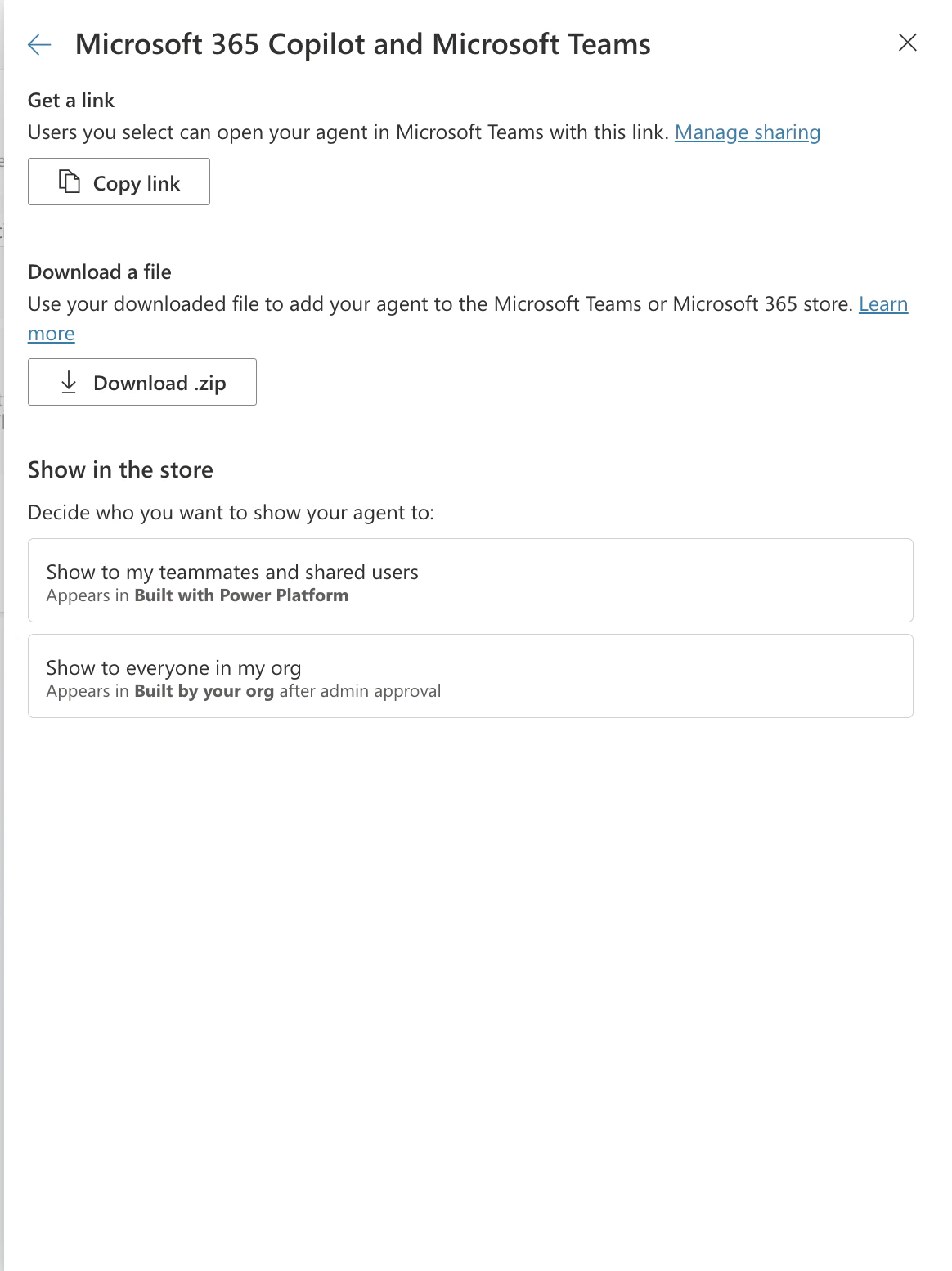
Where will the agent appear?
Depending on the distribution method chosen, users will find the agent in the following places:📖 Extend Microsoft 365 Copilot with agents - Microsoft Learn
Prerequisites and admin requirements
A few things need to be in place before users can install your agent in Teams:- Custom apps must be allowed in your organisation’s Teams Admin Center. If your IT team has disabled custom/sideloaded apps, the installation link and app store listing won’t work. An IT admin needs to enable this under Teams Admin Center > Teams apps > Setup policies.
- Microsoft 365 Copilot licence is required for the agent to surface in Microsoft 365 Copilot chat. Teams-only access works without a Copilot licence.
- The GWI Spark custom connector must be authenticated in the agent before publishing. Users who install the agent will be prompted to sign in with their GWI credentials on first use.
📖 Quickstart: Create and deploy an agent - Microsoft Learn
Troubleshooting
- MCP server not visible Verify the server configuration and confirm that you have proper workspace permissions.
- Authentication failures Confirm that your GWI account has Spark MCP access and that OAuth settings are correct.
- Users can’t find the agent in Teams Check that custom apps are enabled in Teams Admin Center, and that the agent has been published (not just saved) in Copilot Studio.
- The installation link isn’t working on mobile Installation links are desktop/web only. Point mobile users to the Teams app store listing instead (Options B or C above).
- The agent asks for authentication every time This is expected on first install. Once users authenticate with their GWI credentials, the connection is saved. If re-authentication keeps occurring, check the OAuth2 connection settings in the custom connector.
- The agent hasn’t appeared in Microsoft 365 Copilot Confirm the Microsoft 365 Copilot channel is enabled (Step 2 above), and that the user has a Microsoft 365 Copilot licence. It can take up to 24 hours for a newly published agent to appear.