

Overview
Connect GWI Spark MCP directly to Cursor using Streamable HTTP. Cursor talks to the Spark MCP endpoint over the network—no localmcp-remote bridge or Node.js install required. This is the fastest way for developers to use Spark tools in Agent chat.
Authentication for this setup uses a Spark API access token in the Authorization header. Store the token in an environment variable and reference it from mcp.json so the token never appears in your project or docs.
Reference: Cursor MCP documentation
Prerequisites
- Your organization is enabled for Spark MCP.
- A Spark API access token for developer or custom MCP clients.
- Cursor with MCP support (Streamable HTTP; Cursor v0.48.0 or later).
Spark API token mode
1. Set your token in the environment
Create an environment variable namedSPARK_API_TOKEN in the environment from which Cursor is launched, then fully restart Cursor. Use the raw token value only—do not include the Bearer prefix.
How you configure the variable depends on your operating system and how you launch Cursor. See Cursor’s configuration interpolation documentation for details.
2. Add GWI Spark to mcp.json
Choose global (~/.cursor/mcp.json) or project (.cursor/mcp.json in your repo root):
Remote MCP servers in Cursor do not support
envFile. Set SPARK_API_TOKEN in your system or shell environment, not only in a .env file inside the project.3. Enable the server in Cursor
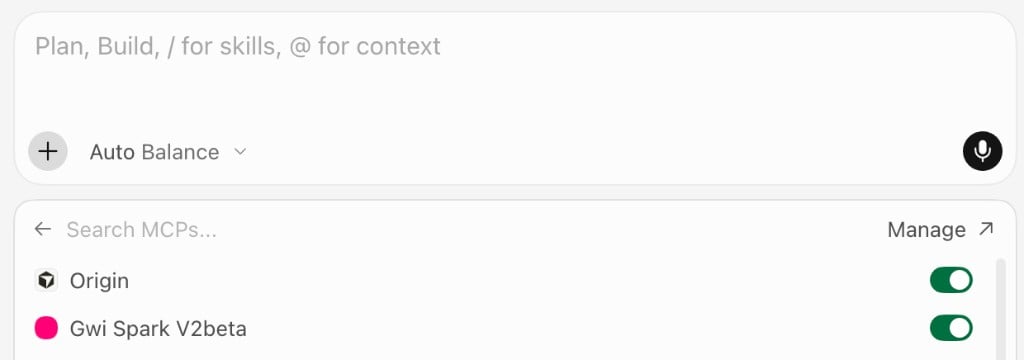
- Open Customize in the sidebar (or Cursor Settings → MCP).
- Confirm gwi_spark_v2beta appears and is enabled.
- If you edited
mcp.jsonwhile Cursor was open, restart Cursor or toggle the server off and on.
4. Verify tools are available
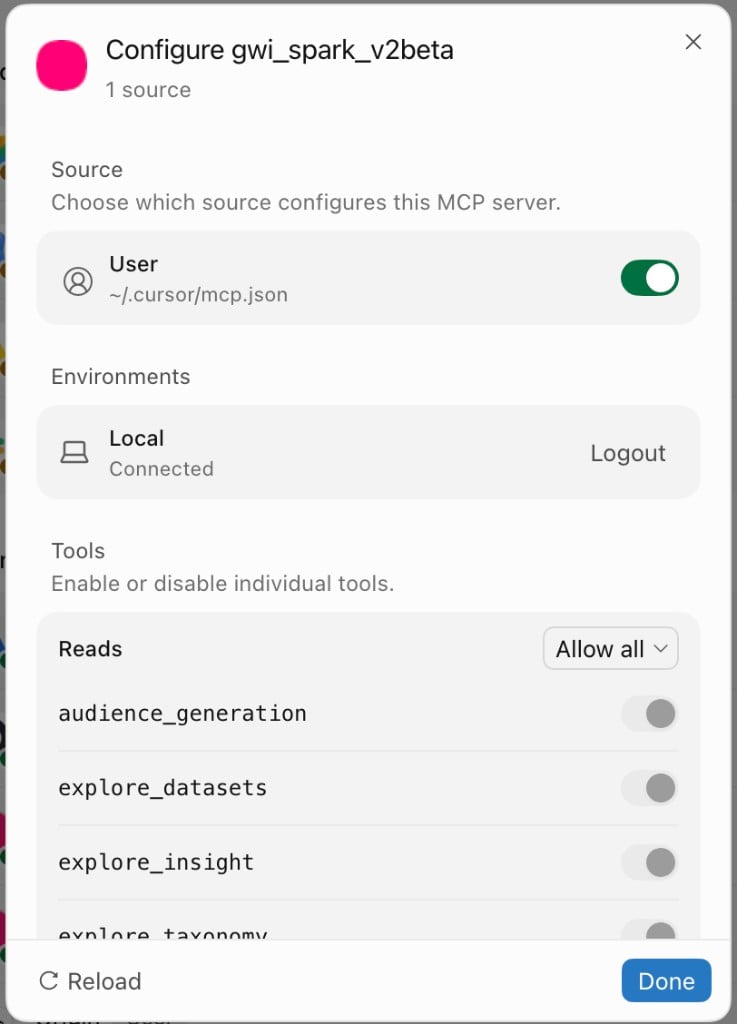
Open gwi_spark_v2beta and confirm v2beta Spark MCP tools are listed, for exampleaudience_generation, explore_datasets, and explore_insight. The exact list comes from the server’s tools/list response.
5. Run a test prompt
In Agent chat, ask a question that should use Spark, for example:Alternative: MCP Remote bridge
If direct HTTP connection fails (for example, due to a corporate proxy or transport detection issues), use the MCP Remote npm bridge with the same token and endpoint.Troubleshooting
- 401 / unauthorized: Confirm
SPARK_API_TOKENis set in the environment Cursor inherits, that the value has noBearerprefix, and that the token is valid. See Authorization. - Server does not connect: Open Output (
Cmd+Shift+U/Ctrl+Shift+U), choose MCP Logs, and check for TLS or auth errors. See Cursor’s MCP FAQ. - Tools missing: Ensure the server is enabled in Customize and that your organization has Spark MCP access for your account.