> ## Documentation Index
> Fetch the complete documentation index at: https://api.globalwebindex.com/docs/llms.txt
> Use this file to discover all available pages before exploring further.
# Copilot Studio
## Overview
The Spark MCP server integrates with Microsoft Copilot Studio using the MCP onboarding wizard. This enables agents to access GWI consumer insights data through OAuth 2.0 authentication.
Reference: [Copilot Studio MCP official documentation](https://learn.microsoft.com/en-us/microsoft-copilot-studio/mcp-create-new-server)
## How to Use
### Setting Up Spark MCP Tool in Agent Builder
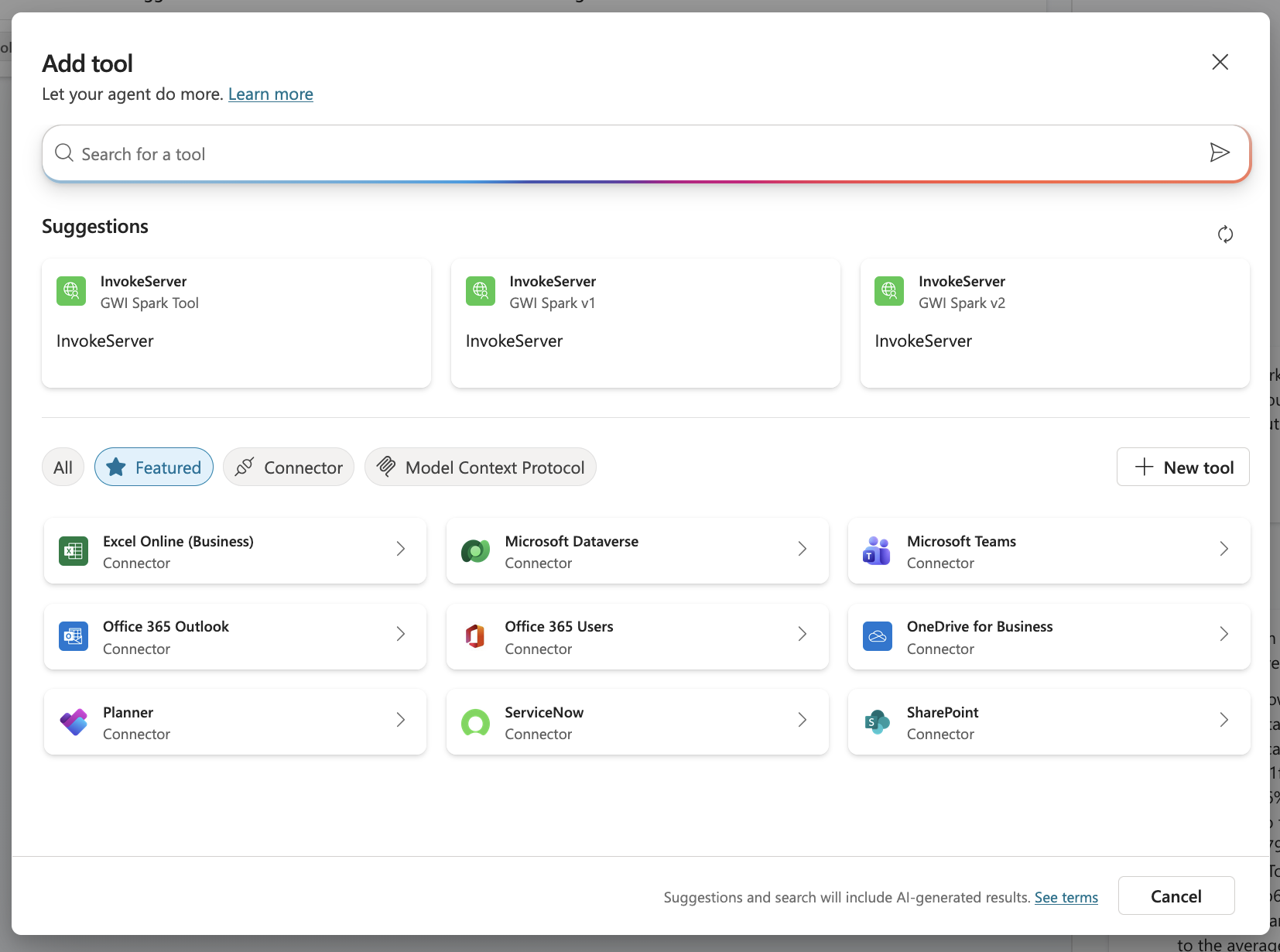
1. Open your agent, navigate to the **Tools** page, and select **New tool**
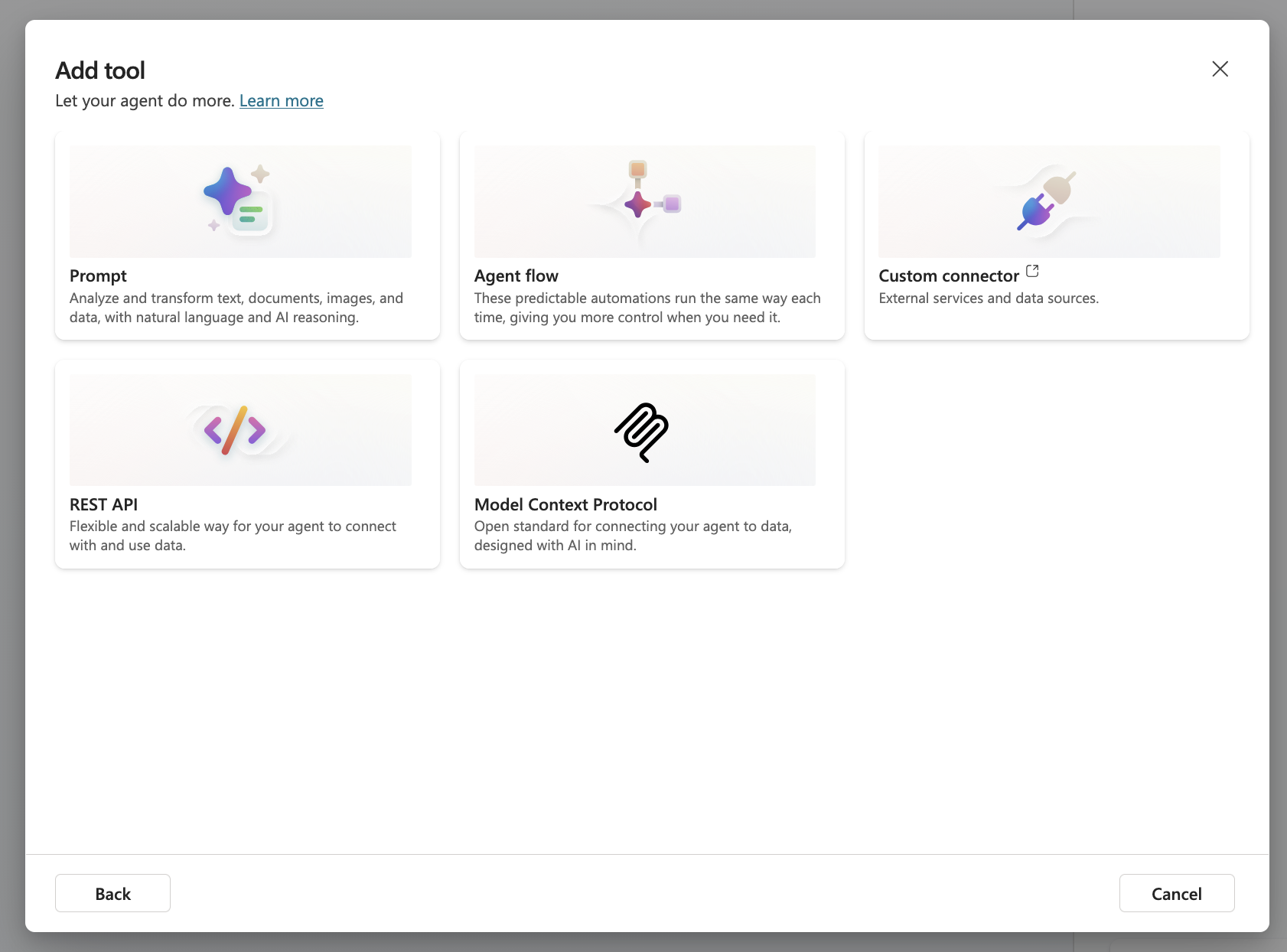
 2. Select **Model Context Protocol**:
 3. Configure the MCP server details, ensuring the URL is correct
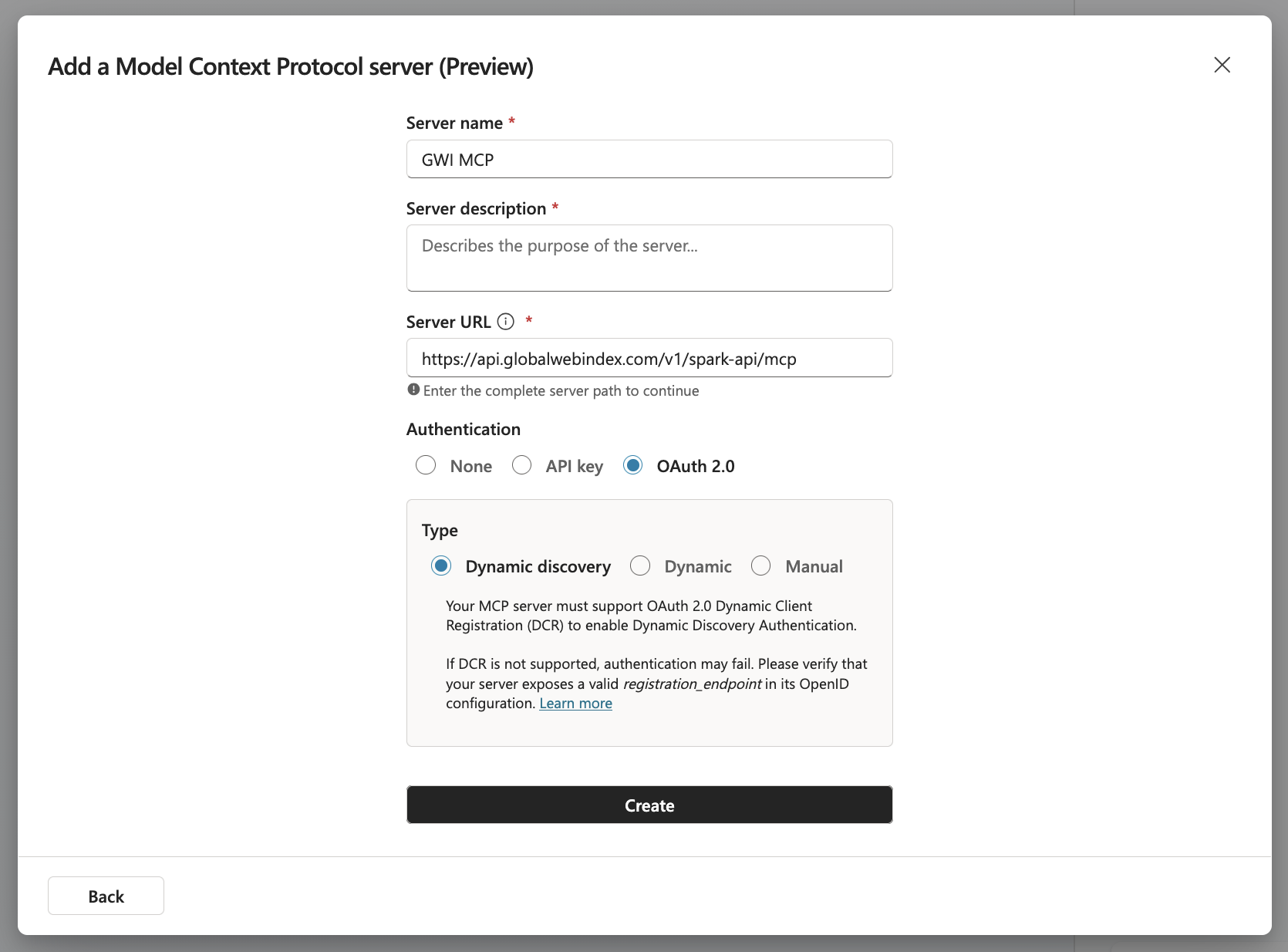 * **Server Description**: Uncover instant insights from real humans across 50+ global markets
* **Server URL**: `https://api.globalwebindex.com/v1/spark-api/mcp`
4. Select **OAuth 2.0** as the authentication type and **Dynamic discovery** as the OAuth 2.0 type
5. Create a connection.
You will be redirected to the GWI sign-in page. Use your GWI credentials to sign in.
* **Server Description**: Uncover instant insights from real humans across 50+ global markets
* **Server URL**: `https://api.globalwebindex.com/v1/spark-api/mcp`
4. Select **OAuth 2.0** as the authentication type and **Dynamic discovery** as the OAuth 2.0 type
5. Create a connection.
You will be redirected to the GWI sign-in page. Use your GWI credentials to sign in.
 Review the requested permissions and scopes, then click **Allow** to authorize the connection.
Copilot Studio handles token refresh automatically.
Once the connection is created, you will be prompted to add the MCP tool and configure it in the agent.
Review the requested permissions and scopes, then click **Allow** to authorize the connection.
Copilot Studio handles token refresh automatically.
Once the connection is created, you will be prompted to add the MCP tool and configure it in the agent.
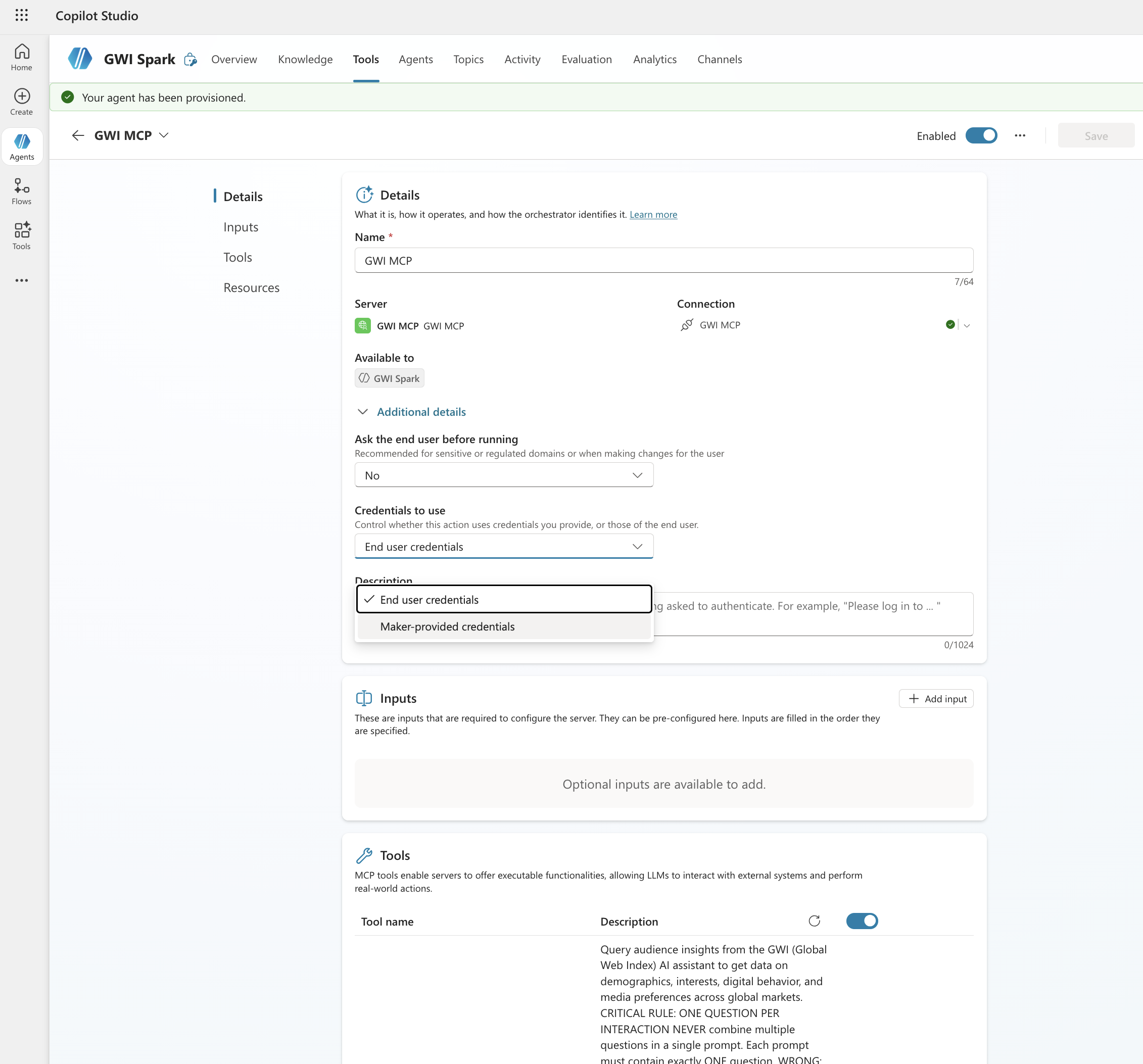
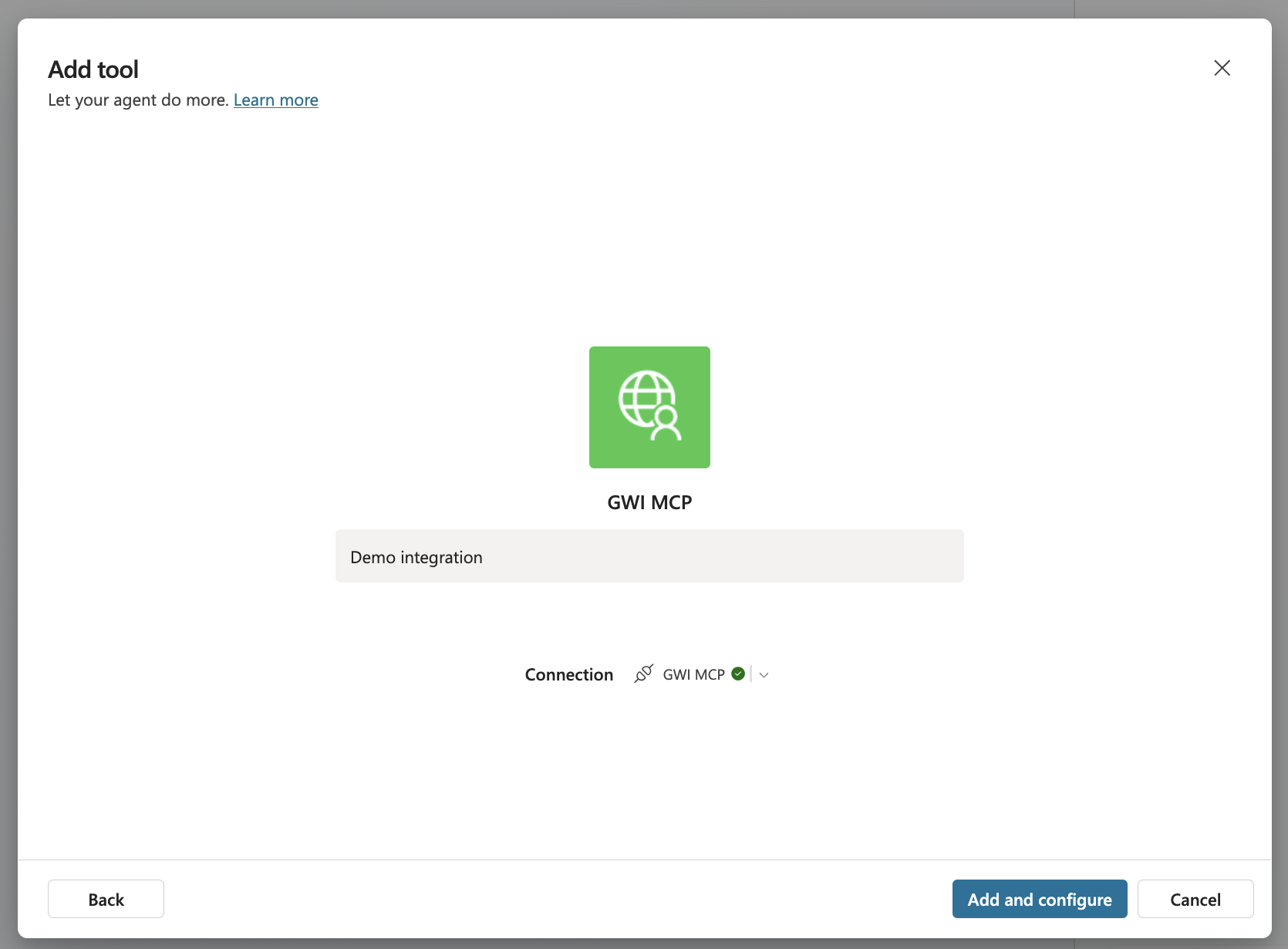 6. You can select between two authentication modes when using MCP tools within your agent: **End user credentials** and **Maker-provided credentials**. This controls whether users should use their own GWI credentials when using the agent, or the credentials used by the tool builder.
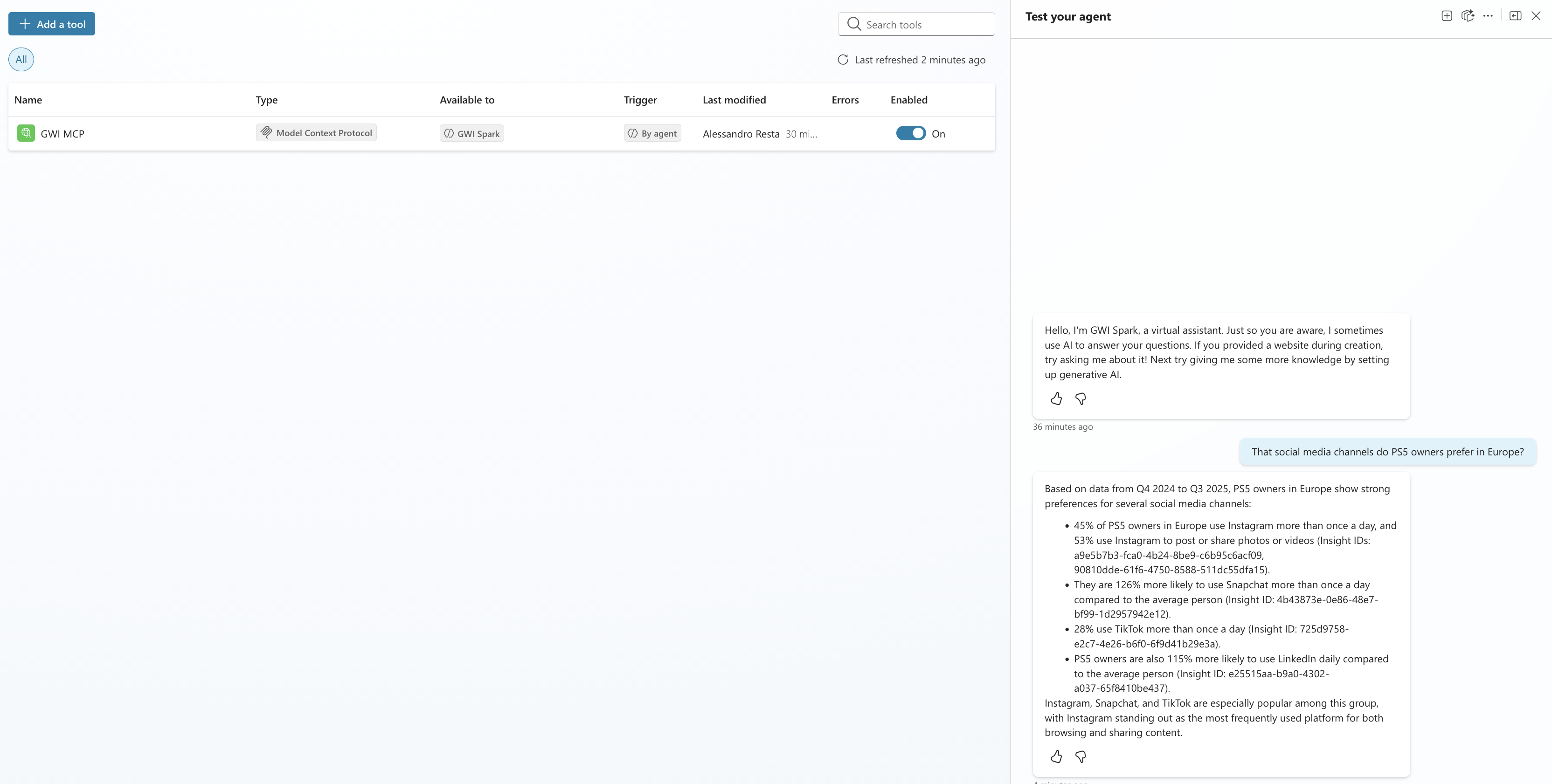
 7. Finally, you can use GWI Spark MCP in your agent
 ## Troubleshooting
* **MCP server not visible**: Verify the server configuration and confirm that you have proper workspace permissions.
* **Authentication failures**: Confirm that your GWI account has Spark MCP access and that OAuth settings are correct.
## Troubleshooting
* **MCP server not visible**: Verify the server configuration and confirm that you have proper workspace permissions.
* **Authentication failures**: Confirm that your GWI account has Spark MCP access and that OAuth settings are correct.